
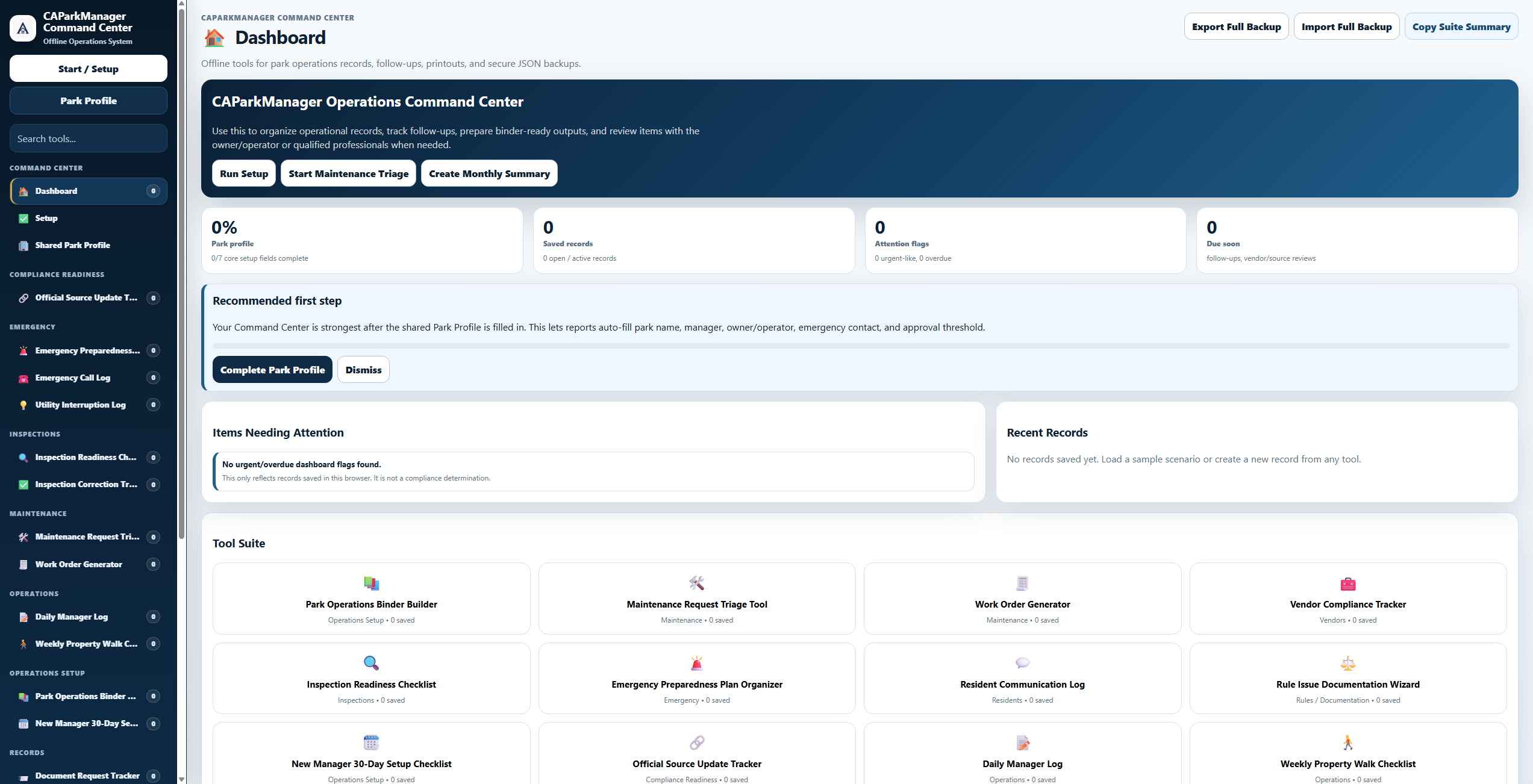
Command Center Dashboard
A central browser-based workspace for navigating the system and finding the right tools.
California Park Operations Toolkit
A practical documentation, inspection-readiness, and park operations system for California mobilehome and RV park owners, operators, resident managers, and small management teams.
Built for small California park operators who need a cleaner system for records, inspections, daily documentation, and follow-up.
Best-Fit Buyer
CAParkManager is strongest for new, part-time, family-run, and overwhelmed park managers who are still relying on paper, memory, scattered texts, loose folders, or inconsistent follow-up.
This is not just a packet of PDFs. The browser-based Command Center and operating trackers are designed to give a small park manager a practical working system for daily documentation, follow-up, and review.
The PDFs, workbook, examples, California source-awareness guide, glossary, and case studies support the workflow so the manager understands what each tool is for and how to use it.
Experienced operators with mature systems may already have their own process. This product is best for managers who need a practical structure before moving into expensive software or building everything from scratch.
The goal is simple: help a small park manager get organized faster, document more consistently, and prepare better questions for owners, vendors, agencies, attorneys, approved providers, or other qualified professionals when needed.
Important: CAParkManager is an educational and organizational system. It is not HCD-approved Park Manager Training, legal advice, a compliance certification, or a substitute for official agency guidance or qualified professional review.
What This Product Does
CAParkManager gives small parks a more structured way to organize operations, document important activity, and prepare before issues become harder to manage.
Create clearer sections for records, recurring responsibilities, daily documentation, and management handoff.
Use checklists and trackers before inspections, complaints, vendor issues, or urgent maintenance create stress.
Track resident communication, maintenance requests, incidents, vendors, rule issues, and follow-up actions.
Featured Included Tool
The Command Center is the practical hub of the system. It helps users find the right checklist, tracker, form, or documentation category without digging through scattered files.
Product Previews
The full system includes workbook materials, form pages, and browser-based tools designed to work together as a practical park operations system.
These previews show the browser-based tools included with the full system.
A central browser-based workspace for navigating the system and finding the right tools.
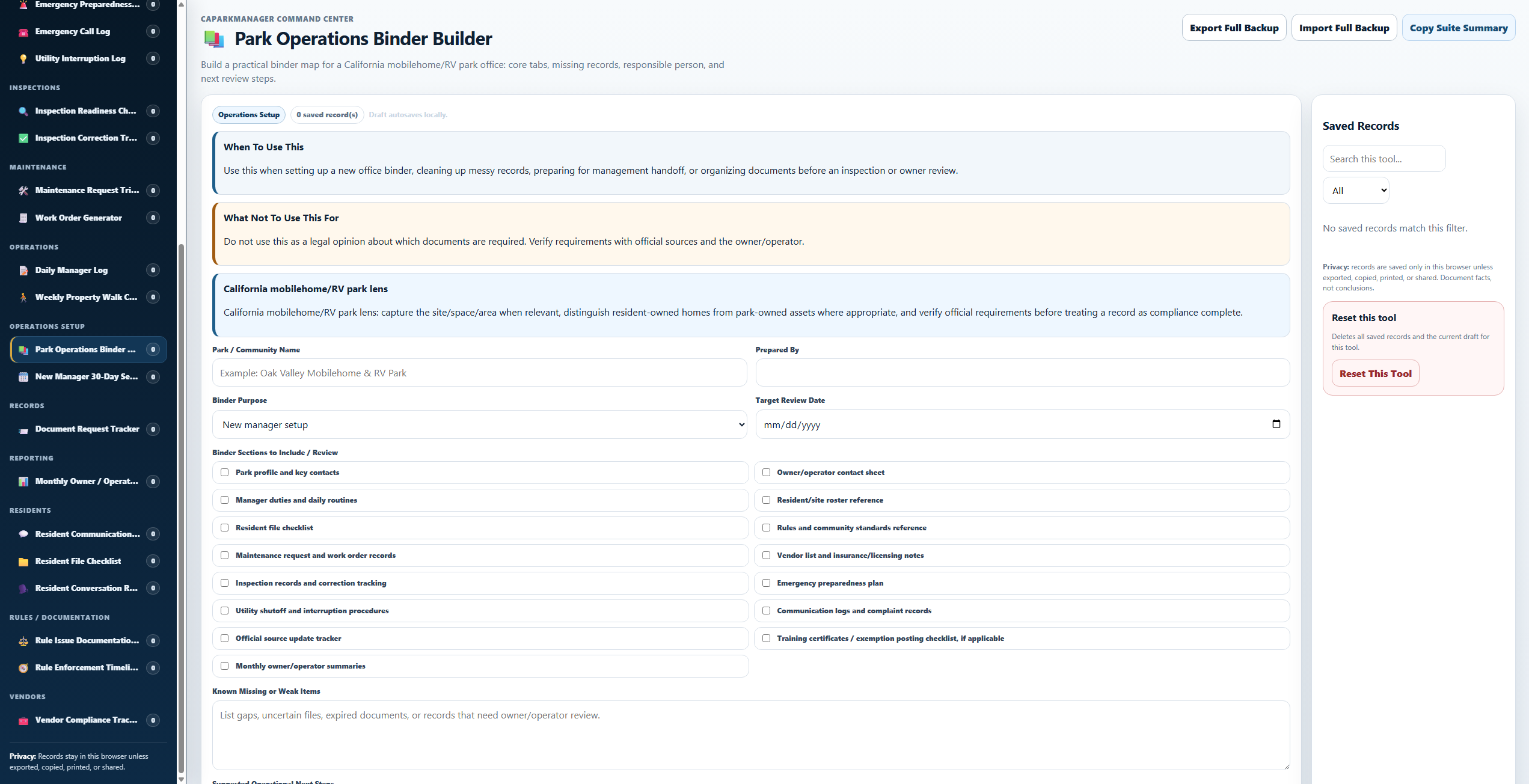
Helps organize binder sections, missing records, responsible parties, and review dates.
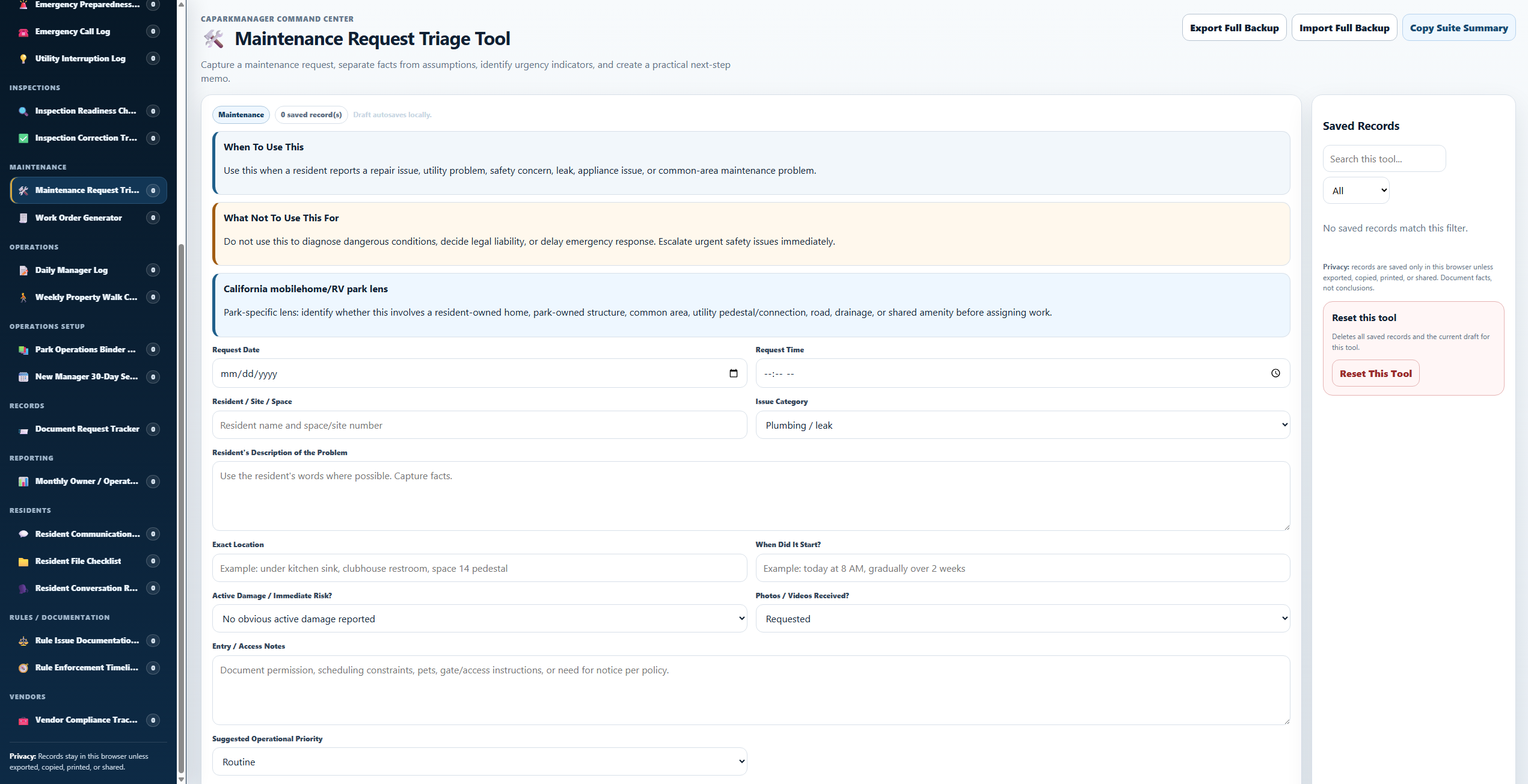
Captures repair requests, urgency indicators, photos, access notes, and next steps.
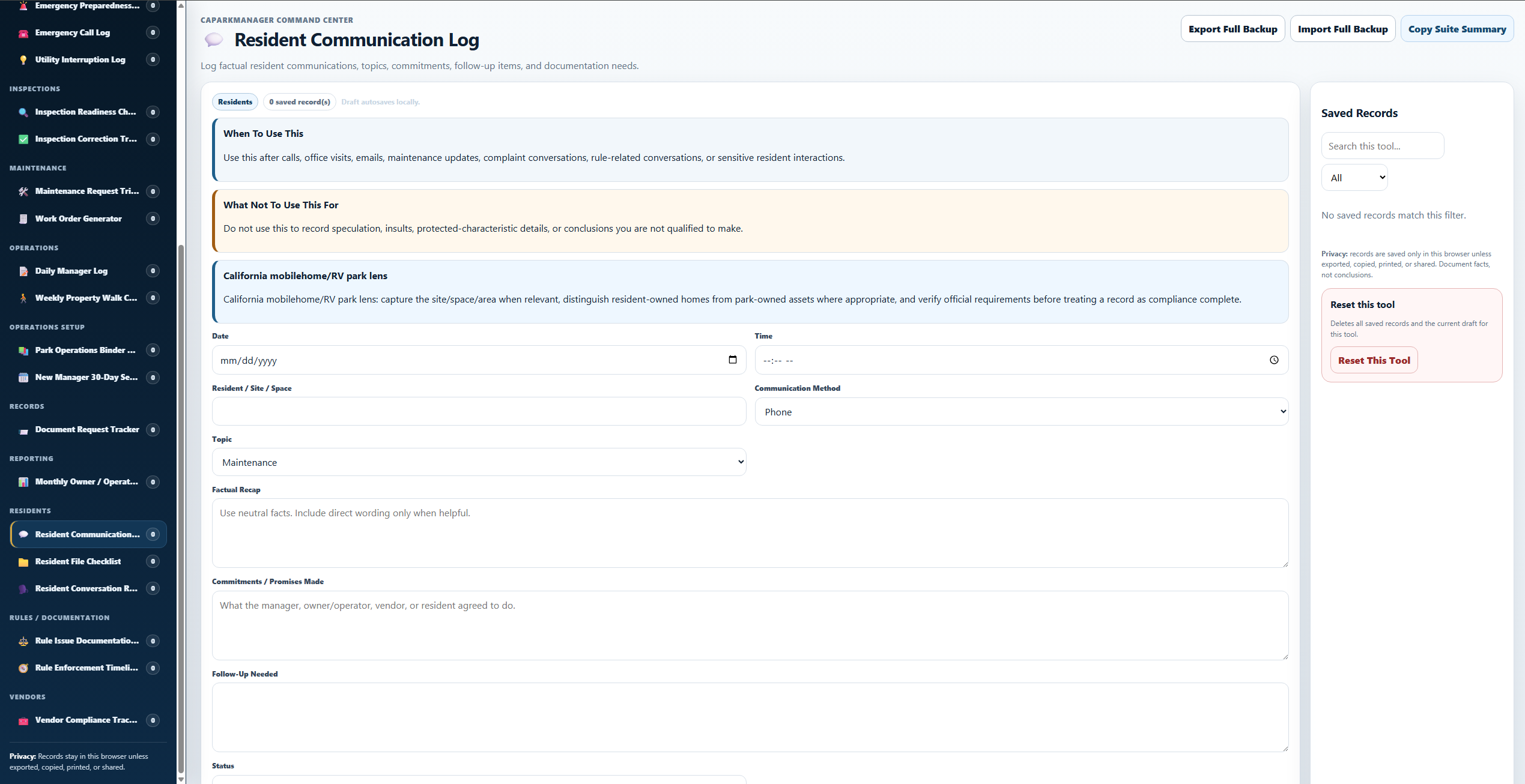
Creates cleaner records for calls, office visits, emails, complaints, and follow-up commitments.
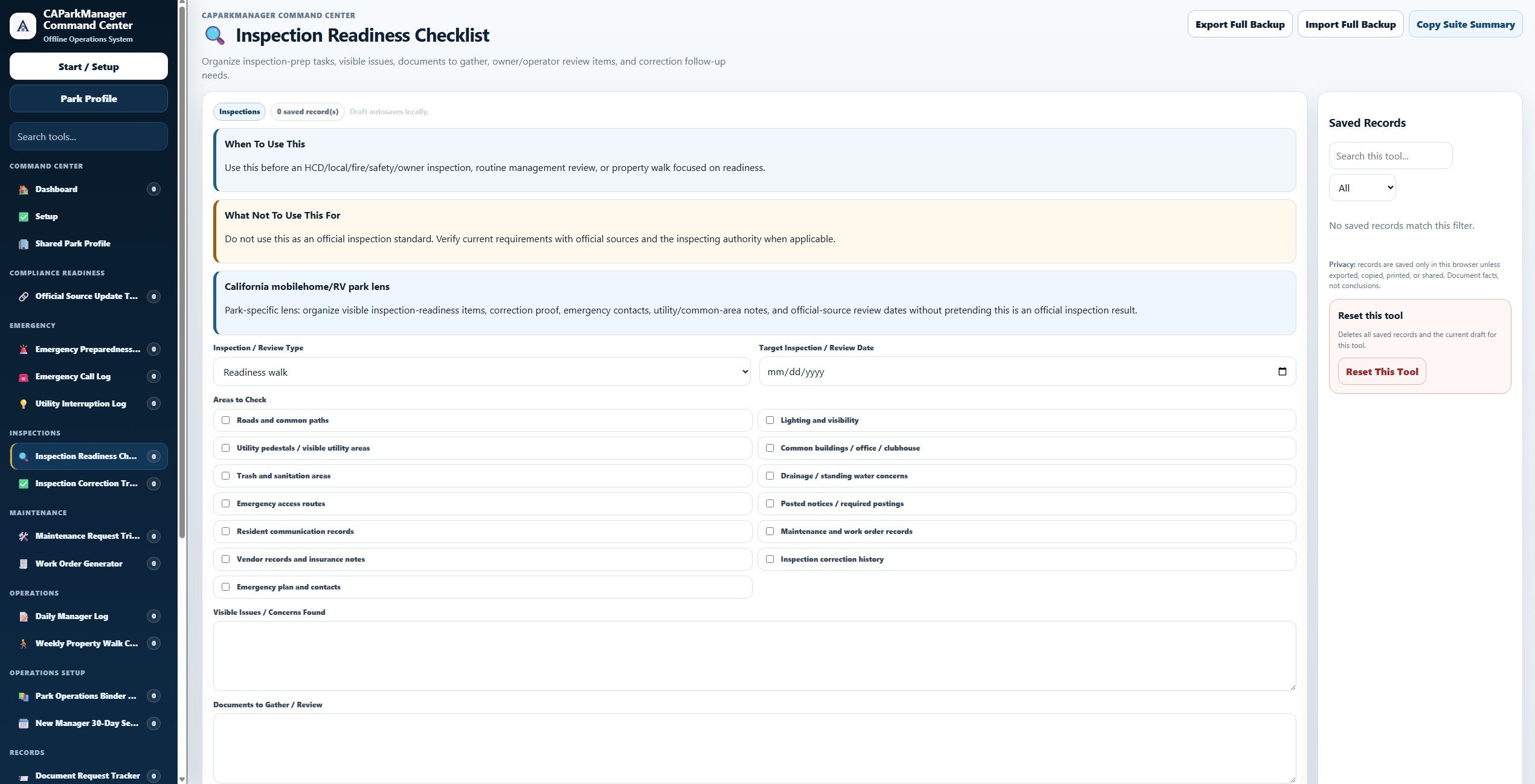
Organizes visible issues, documents to gather, review items, and correction follow-up.
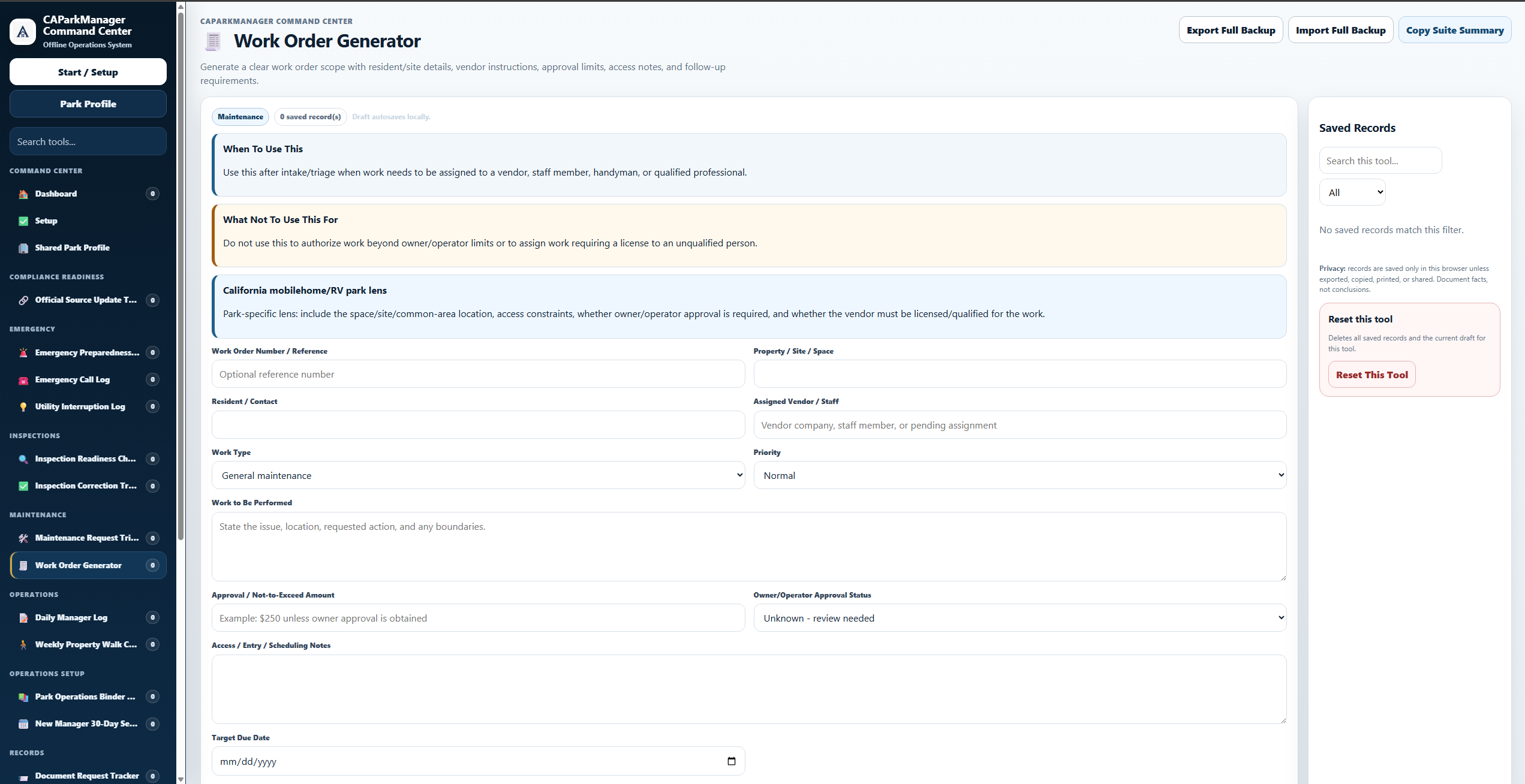
Builds clearer work order scope, vendor instructions, access notes, approval status, and due dates.
These previews show selected pages from the workbook and forms packet.
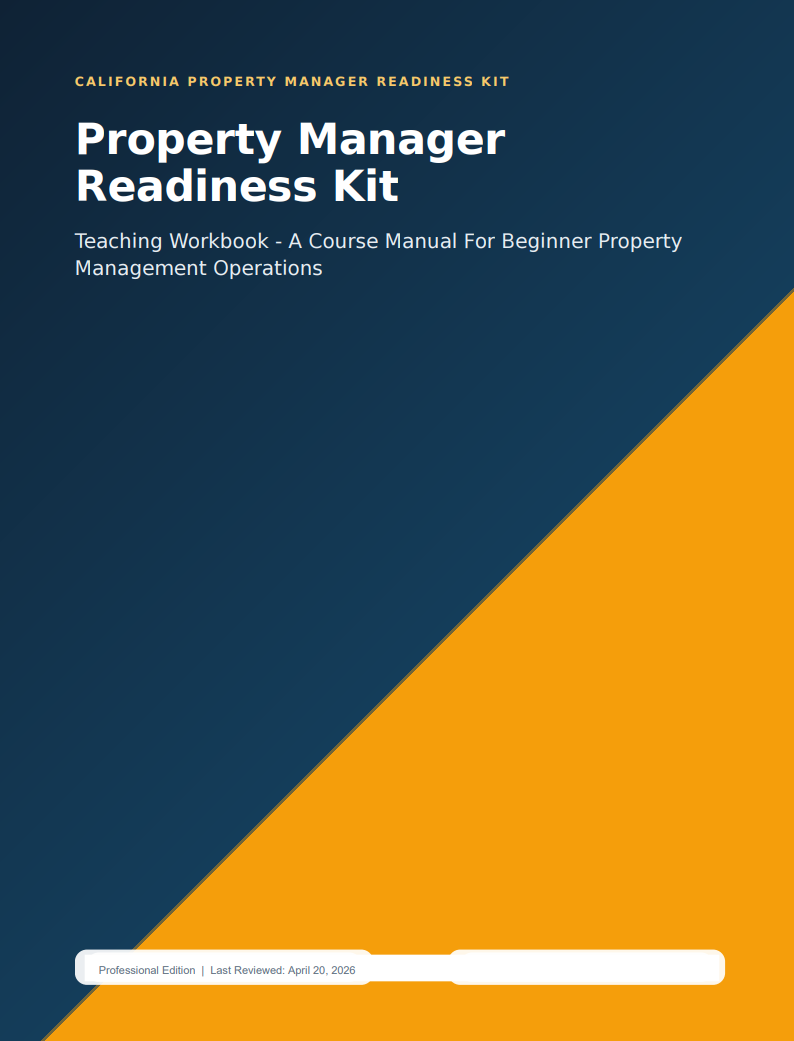
The main learning manual for practical park operations and documentation habits.
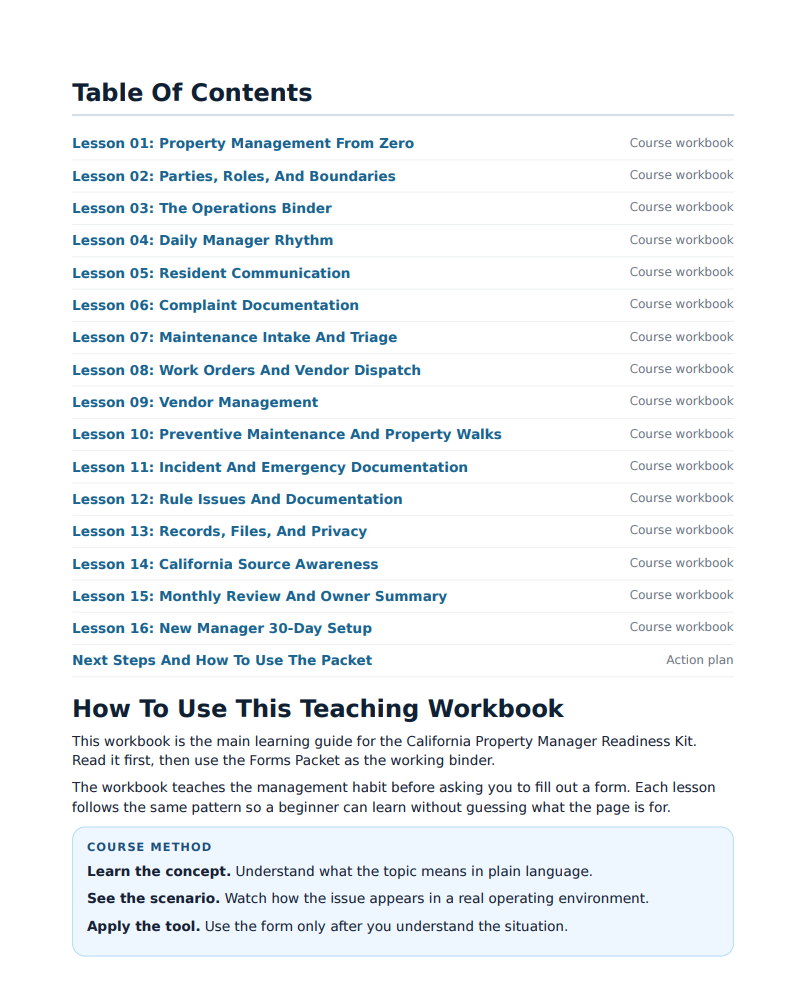
Shows the lesson structure, workflow, and training path inside the workbook.
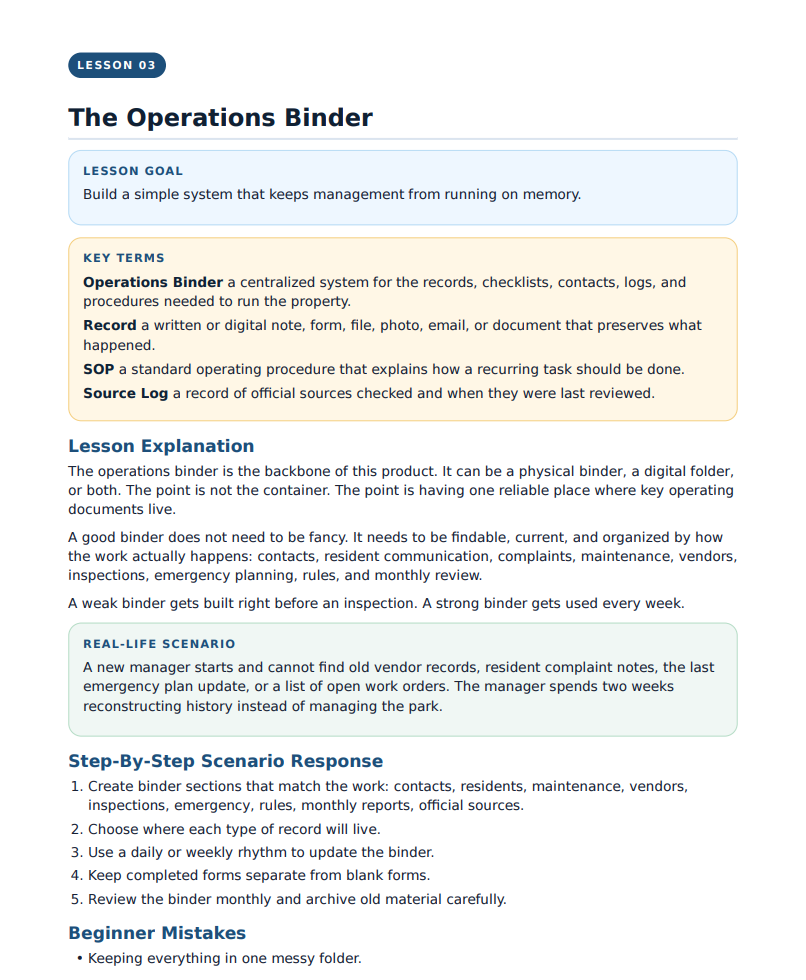
Explains how to build a simple binder system that keeps management from running on memory.
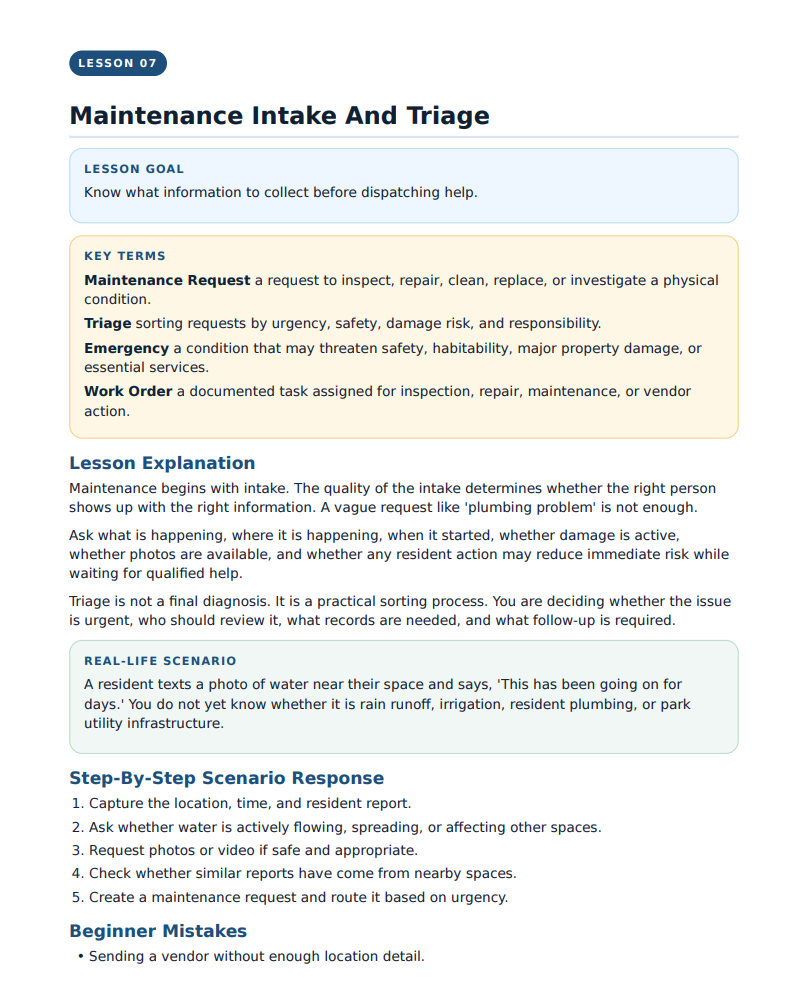
Shows how the workbook teaches maintenance request intake, triage, and follow-up.
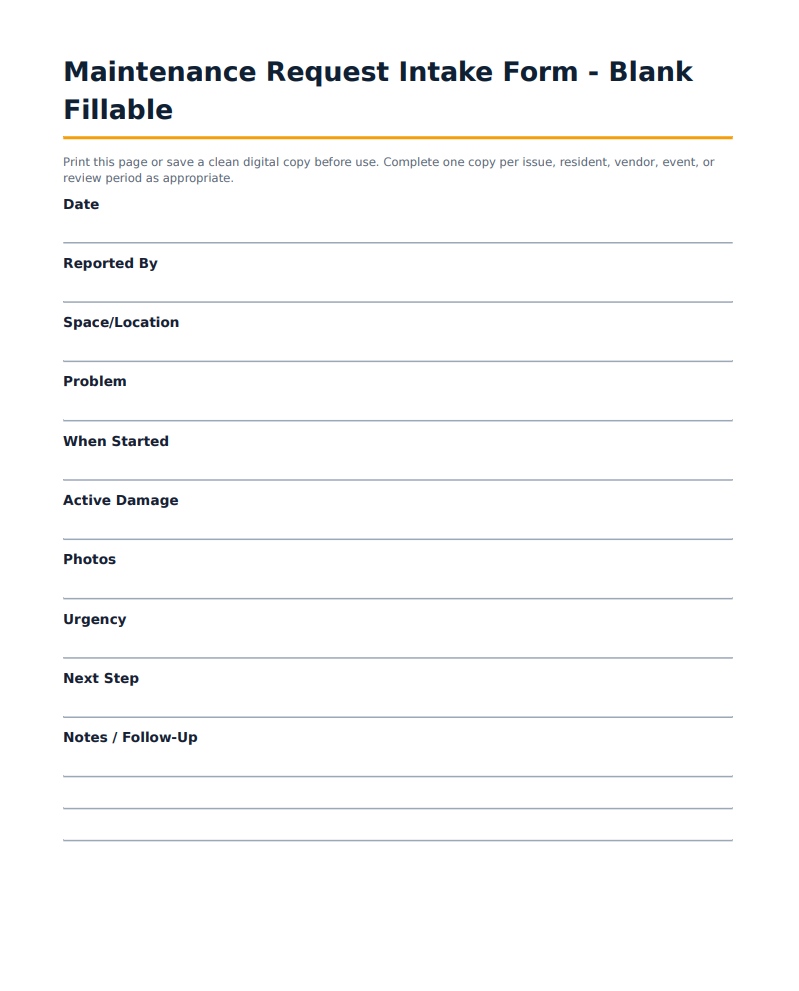
A printable/fillable form for capturing maintenance issue details before dispatching help.
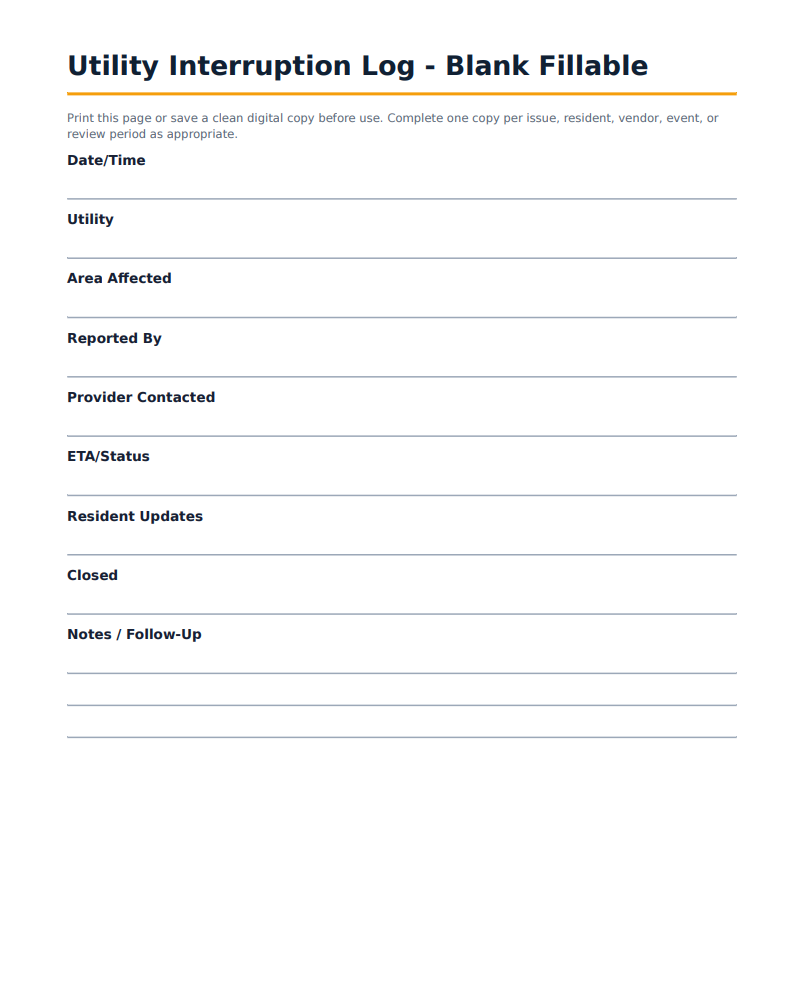
A printable/fillable log for utility interruptions, resident updates, status, and follow-up.
User Feedback
Reviewers highlighted the practical roadmap, organized lessons, maintenance guidance, and beginner-friendly structure.
“Before this guideline, I felt stuck and overwhelmed by property management, mostly in maintenance. Now I have a clear roadmap and tools to execute.”
Eddie B.“Tremendous amount of information. It exceeded my expectations by far. This is a must-have for any would-be property manager.”
Quinn D.“From someone who had not studied property management before, this was informative and delivered in bite-sized, easy-to-digest modules.”
Linda N.“This was very detailed and provided sound principles in property management. I found it empowering and informative.”
Charles D.“I used this to get a jump start on what to expect, learn the terms, and understand the general responsibilities that may be required.”
Cassie J.“This was very organized. I liked how it was separated into sections, making it easy to find the information I needed.”
Michelle K.See Before You Buy
Download selected previews before buying. The sample pack includes PDF previews, a Command Center screenshot, and three limited browser-based sample tools.
What You Build
The system helps you build a practical binder, clearer documentation habits, and a more consistent day-to-day operating workflow.
Use the included browser-based tool as a central navigation hub for the system’s categories.
Set up organized sections for records, contacts, inspections, residents, vendors, and emergency planning.
Track requests, work orders, vendor notes, follow-up, completion status, and repair history.
Document communication, complaints, incidents, rule issues, document requests, and follow-up actions.
What Is Included
The full product combines learning materials, printable/fillable forms, sample documents, browser tools, and practical checklists.
How to Use It
Use the browser-based hub to understand the structure and find the major park operations categories.
Create binder sections for records, inspections, residents, maintenance, vendors, emergency planning, and source updates.
Use the forms and browser tools during real operations instead of relying on memory and scattered notes.
Catch missing records, overdue follow-up, vendor gaps, open maintenance issues, and inspection-readiness concerns.
How This Fits
Park operations require more than training alone. Managers also need a practical way to organize records, track activity, and maintain internal documentation.
CAParkManager helps with that practical education and organization layer.
For official HCD training, certificates, exemptions, fees, and enforcement requirements, operators should use HCD, local enforcement agencies, HCD-approved providers, and qualified professionals.
Digital Product
Get the full digital system, including the Command Center, workbook materials, forms, and operational tools.
What Happens After Purchase
After checkout, you receive digital access to the full CAParkManager Compliance Preparation System so you can start organizing your records, forms, and workflows right away.
Purchase the system through the product page as a one-time digital order.
Access the downloadable product files, including workbook materials, forms, and tools.
Use the Command Center to navigate the system and locate the right resource for the task.
Use the binder checklist, forms, trackers, and tools to improve your documentation workflow.
Product Questions
CAParkManager is an educational park operations and documentation-readiness system for California mobilehome and RV park operators.
Yes. The CAParkManager Command Center is included as a browser-based HTML tool.
Yes. The sample preview pack includes selected PDF previews and three sample browser tools. It is a limited preview and does not include the full Command Center or complete product files.
If you are not ready for the full system, start with the free Park Operations Binder Checklist. It gives you a simple starting point for organizing park records before building the full binder system.
Get the free checklist here.
No. CAParkManager does not issue HCD certificates. Required park manager training and examinations must be completed through an HCD-approved provider when applicable.
No. This is an educational product, not legal advice, attorney review, or a substitute for qualified legal counsel.
No. This is a digital product. You receive downloadable materials that can be printed, saved, and used to build your own binder and internal workflow.
Small operators, resident managers, part-time managers, and mom-and-pop parks that need a more organized system but do not already have a full compliance department or mature property management software workflow.
Educational and organizational use only. The CAParkManager Compliance Preparation System does not issue HCD certificates, does not replace Park Manager Training through an HCD-approved provider, and does not provide legal advice.
Users should verify legal, regulatory, training, inspection, and posting requirements with official sources, qualified professionals, and the appropriate enforcement agency.
Digital product policy: Because this is an instant-access digital product, sales are generally final once files are delivered. If you have trouble accessing your download or believe you purchased the wrong item, contact us and the issue will be reviewed in good faith.
Get Organized
Start with a cleaner, more organized system instead of scattered notes, old emails, and memory.
Digital product. Educational park operations resource. Does not issue HCD certificates or provide legal advice.